A Model Is a Very Boring File#
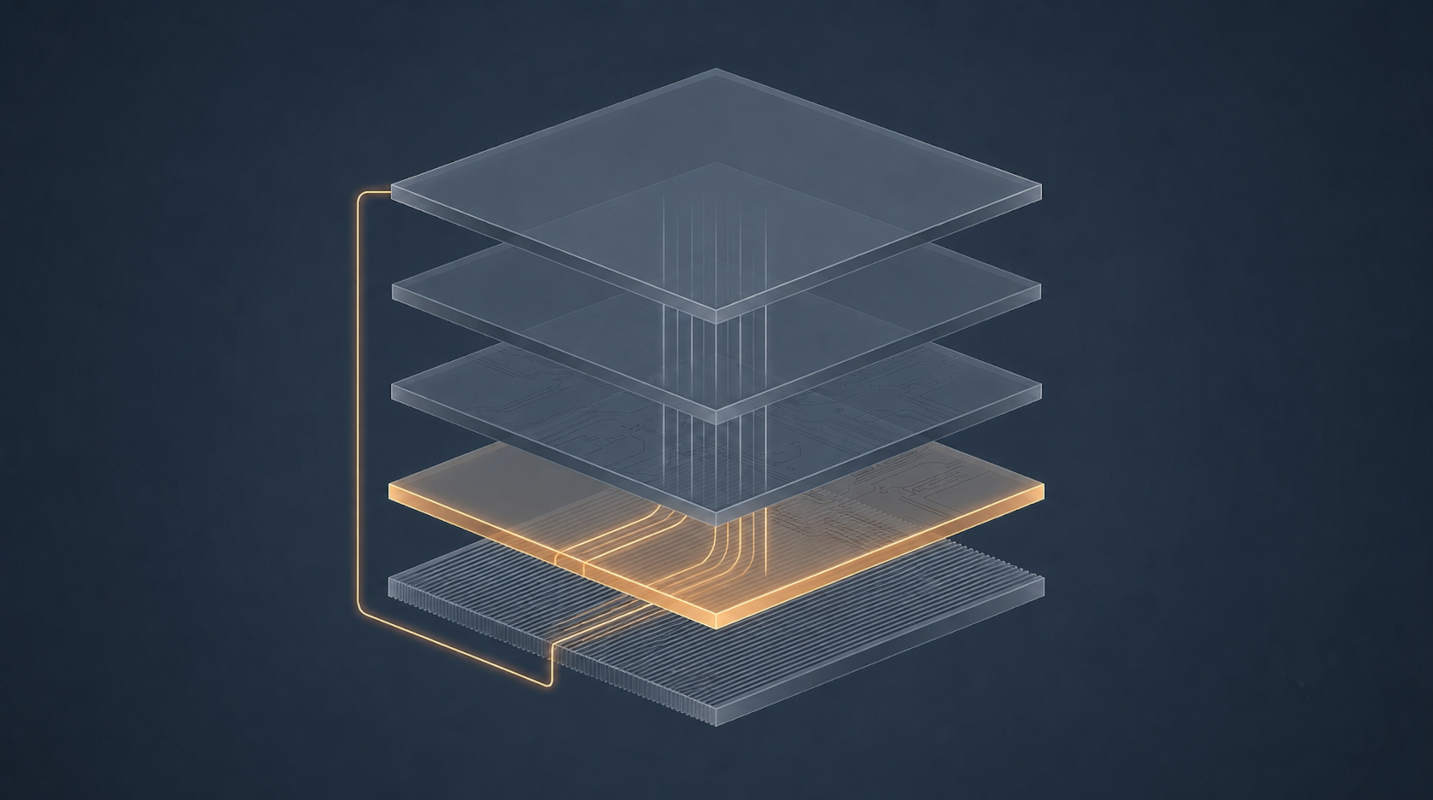
Strip away the mystique and a language model is an array of floating-point numbers — the weights — organised into named tensors, plus enough metadata to describe how those tensors should be wired together.
A 12-billion-parameter model has, unsurprisingly, twelve billion of these numbers. During training they are typically stored at 16 bits each, which gives you a file of:
| |
That is the honest, full-fat size. It does not fit on a 16 GB GPU — it does not fit on most consumer GPUs at all — because the weights are not the only thing that needs to be in memory. This inconvenient arithmetic is the reason the rest of this article exists.
GGUF: The Container#
GGUF is a single-file format from the llama.cpp project. Its defining property is that it is self-describing: the tensors and the information needed to use them live in the same file.
| |
That third box matters more than it looks. The chat template is a formatting string baked into the file that says how to wrap a conversation into the exact token sequence the model was trained on — where the system prompt goes, what separates turns, which special tokens mark the end of a message.
Get it wrong and the model still produces output. It just produces slightly worse output, forever, in a way that never throws an error. Storing the template alongside the weights is GGUF’s quiet, unglamorous contribution to your sanity.
That contribution is only as good as the template someone wrote. Gemma 4 shipped with template bugs — mishandled null content, thoughts dropped where they should have been preserved, unbalanced turn tags — that were patched weeks after release. The weights were never wrong. The string being handed to the model was. Symptoms included empty responses and reasoning that ran away during long generations, which look exactly like model quality problems and are not.
The fix is instructive: because the template is metadata rather than weights, llama.cpp lets you override it with --chat-template-file and skip re-downloading several gigabytes of unchanged tensors. Separating “what the model knows” from “how we talk to it” turns out to be worth something.
Quantisation: Spending Precision#
Quantisation stores each weight in fewer bits. Instead of 16 bits per number, use 4, and your 16 GB file becomes roughly 4.5 GB.
The naive version of this — round every number to the nearest of sixteen values — works considerably worse than you would want. Modern schemes are cleverer in two ways.
Block scaling. Weights are grouped into small blocks, each with its own scale factor. Within a block you only need to encode the deviation from that block’s scale, so a handful of extreme values doesn’t wreck the resolution for everything around them.
Mixed precision. Not every tensor is equally sensitive. The K-quant family (Q4_K, Q5_K, Q6_K) deliberately keeps certain tensors — attention output and some feed-forward projections — at higher precision than the rest, because empirically that is where damage hurts most. The _S, _M and _L suffixes are small, medium and large: how generous that carve-out is.
So Q4_K_M decodes as: 4-bit, K-quant scheme, medium mixed-precision allowance. It is the default in most places for a reason we’ll get to.
Effective sizes#
Because of the block scales and the mixed precision, the effective bits per weight is always a bit above the nominal number:
| Quant | Effective bits/weight (approx.) | 12B model file | Practical read |
|---|---|---|---|
| F16 | 16.0 | ~24 GB | Reference quality, rarely worth it locally |
Q8_0 | ~8.5 | ~12.8 GB | Effectively indistinguishable from F16 |
Q6_K | ~6.6 | ~9.9 GB | Very safe, mild size win |
Q5_K_M | ~5.7 | ~8.6 GB | Safe |
Q4_K_M | ~4.8 | ~7.2 GB | The default sweet spot |
Q3_K_M | ~3.9 | ~5.9 GB | Noticeable degradation begins |
Q2_K | ~3.4 | ~5.1 GB | Visibly damaged; last resort |
Treat these as approximate — the exact figures vary by model architecture, since embedding and output tensors are often handled specially. To size any model:
| |
Our 12B at Q4_K_M: 12e9 × 4.8 / 8 ≈ 7.2 GB. A 31B at the same quantisation: 31e9 × 4.8 / 8 ≈ 18.6 GB. You can now read any model listing and predict the download size without clicking it.
Where the quality actually goes#
The commonly reported pattern is that degradation is not linear. From F16 down to roughly 5 bits, quality loss is small enough to be hard to detect outside benchmark measurements. Around 4 bits it becomes measurable but usually acceptable. Below 3 bits it falls off a cliff — models start producing subtly broken reasoning, losing instruction-following, and hallucinating with more confidence.
This gives the single most useful heuristic in local AI:
Q4_K_M (~7.2 GB) will generally outperform a much smaller model at Q8_0 occupying the same space. Parameter count buys capability; precision only protects it. This holds down to about 4 bits and stops holding below 3, where the damage outweighs the extra parameters.Most people do this backwards. They pick the model they’ve heard of, then take the highest quantisation that fits. The better move is to fix your memory budget first and then find the largest model that fits at Q4_K_M.
Will It Fit?#
The model file is necessary but not sufficient. Three things compete for VRAM.
1. The weights. The file size from the table above.
2. The KV cache. As each token is generated, the attention keys and values for every previous token are retained so they don’t have to be recomputed. This grows linearly with context length:
| |
Worked example with plausible mid-size numbers — 48 layers, 8 KV heads (grouped-query attention), 128 head dimension — at 8k context in 16-bit:
| |
Substitute your model’s real num_hidden_layers, num_key_value_heads and head_dim from its config.json; grouped-query attention makes an enormous difference and the numbers above are illustrative, not authoritative.
Now scale it. At 32k context that becomes ~6.4 GB. Gemma 4 advertises context windows measured in hundreds of thousands of tokens, and at 128k the same arithmetic gives roughly 25 GB — several times the size of the quantised weights.
This is the single most under-appreciated fact about long-context models: the advertised window is a capability, not a default, and running anywhere near it costs far more memory than the model itself. “Set it to maximum” is not ambition, it is an out-of-memory error with extra steps.
3. Compute buffers and headroom. Activations, scratch space, and whatever your desktop compositor is holding. Budget 1–2 GB.
So on a 16 GB card:
| Item | Budget |
|---|---|
| Desktop / compositor / other processes | ~1 GB |
| Compute buffers | ~1 GB |
| KV cache at 8k context | ~1.6 GB |
| Available for weights | ~12.4 GB |
Which fits our 12B at Q4_K_M (~7.2 GB) with room to spare — enough headroom to push context considerably further, or to step up to Q5_K_M (~8.6 GB) and keep a reasonable window. What it does not fit is the same model at Q8_0. That is the whole calculation.
Why It’s Slow: Bandwidth, Not Compute#
Here is the part that explains almost every performance question you will ever have about local inference.
Generating one token requires reading every weight in the model from memory. Not some of them — all of them. The arithmetic performed on those weights is trivial by GPU standards; the bottleneck is getting the numbers to the arithmetic units at all.
Single-user token generation is therefore memory-bandwidth-bound, which gives you a hard ceiling:
| |
For our 7.2 GB model on a GPU with 288 GB/s of bandwidth:
| |
Real throughput lands somewhere around 60–75% of that, so expect 24–30 tokens/sec. If you have ever wondered why your measured speed is what it is, you have just derived it.
The same formula explains CPU inference. Dual-channel DDR5 delivers roughly 90 GB/s, so the same model on CPU tops out near 12 tokens/sec and realistically manages 7–9. Not unusable. Not fast.
The partial-offload cliff#
When a model doesn’t fit, Ollama offloads as many layers as it can to the GPU and runs the remainder on the CPU. The cost follows directly from the bandwidth model:
graph LR
    A["Every token"] --> B["Read GPU-resident layers
fast path, ~288 GB/s"]
    A --> C["Read CPU-resident layers
slow path, ~90 GB/s"]
    B --> D["Combine → one token"]
    C --> D
Every token pays both costs. Spilling half the model to system RAM roughly doubles time-per-token on a mid-range card — and the penalty scales with the ratio between your GPU and system bandwidth. On a card with 1000 GB/s of VRAM bandwidth, that ratio is over 10:1, so the same spill is catastrophic rather than merely annoying.
The counterintuitive consequence: a smaller model that fits entirely in VRAM will comfortably outrun a larger, more capable model that doesn’t. Fitting is not a nice-to-have.
What ollama pull Actually Does#
Ollama borrows Docker’s mental model almost wholesale, which is either helpful or confusing depending on how much Docker you know. If you know some, this will land quickly — and if you’d like that foundation first, I’ve written about Docker layers and caching in the context of multi-stage builds, which is the same content-addressed machinery described below.
graph LR
    A["ollama pull
gemma4:12b"] --> B["Manifest"]
    B --> D["Weights blob"]
    B --> E["Template"]
    B --> F["Parameters"]
    B --> G["License"]
    D --> H["blobs/
by SHA-256"]
    E --> H
    F --> H
    G --> H
A “model” in Ollama is a manifest referencing several content-addressed blobs, stored by SHA-256 digest. The practical consequences are the ones you’d expect from a content-addressed store: pull two tags that share the same weights and the multi-gigabyte blob is stored once; interrupt a download and it resumes; identical layers across models deduplicate automatically. If you want to see the same ideas from the Docker side with code, Unlocking Docker’s Power with Go walks through manifests and layers directly.
The Modelfile completes the analogy. It is a Dockerfile for models:
| |
ollama create terse-gemma -f Modelfile produces a new tag that reuses the existing weights blob and layers a few kilobytes of configuration on top. No re-download, no duplicated storage.
ollama pull gemma4:12b does not fetch “the model” — it fetches whatever quantisation Ollama has designated as that tag’s default, which is usually Q4_K_M. If you want something else you must ask for it explicitly, as in gemma4:12b-q6_K. People routinely compare a local model against a hosted one without realising they are benchmarking a 4-bit approximation. Check what you actually downloaded with ollama show <model>.What You’ve Learned#
- A model file is weights plus metadata, and GGUF’s self-describing header — especially the chat template — is what makes the file usable on its own.
- Quantisation trades precision for size using block scaling and mixed precision;
Q4_K_Mis the default because that’s roughly where the quality curve is still flat. - At equal file size, prefer more parameters at lower precision, down to about 4 bits.
- VRAM is consumed by weights, KV cache and compute buffers, and the KV cache grows linearly with context length — sometimes exceeding the model itself.
- Token generation is memory-bandwidth-bound, so
bandwidth ÷ model sizepredicts your ceiling. This single formula explains GPU speed, CPU speed, and the partial-offload cliff. - Ollama is content-addressed like Docker, and its default tags quietly pick a quantisation on your behalf.
Next in the Series#
Part 3: Open WebUI and the API Contract. We go back up the stack to the layer you actually touch. What Open WebUI stores that the model can’t, how the conversation gets assembled and re-sent on every turn, what the OpenAI-compatible endpoint really guarantees, and why you could replace the entire frontend with about thirty lines of Python if you felt like it.